Is your store leaking revenue?
Find out exactly where you're losing sales — takes 2 minutes.
The segmentation logic, tool stack, and page-level tactics behind stores that convert like they read minds
What Is Ecommerce Personalization?
Most stores treat every visitor the same.
Ecommerce personalization is the practice of dynamically changing what a visitor sees — product recommendations, banners, copy, offers — based on their behavior, location, or purchase history. Stores using personalization see 10-15% revenue lifts on average, according to McKinsey's 2024 personalization report. It is the single highest-ROI lever most Shopify stores haven't pulled.
That definition sounds simple. The execution is where stores either win or waste money.
Personalization is not "Hi, {first_name}" in an email subject line. That is a mail merge. Personalization means the product grid on your homepage reshuffles based on what someone browsed yesterday. It means a first-time visitor from Kuala Lumpur sees different hero copy than a returning customer from Singapore. It means the cross-sell widget on your cart page changes based on what is already in the cart.
The gap between stores that do this and stores that don't is widening. McKinsey found that 71% of consumers expect personalized experiences and 76% get frustrated when they don't get them.
We audit 80+ Shopify stores a year across Malaysia and Singapore. The pattern is consistent: stores running even basic personalization outperform stores that don't, by double-digit margins. And most stores haven't started.
Let me show you what "started" actually looks like.

Why Does Ecommerce Personalization Increase Revenue?
It removes friction from the buying decision.
Ecommerce personalization increases revenue because it reduces the cognitive load of finding the right product. Epsilon research shows personalized experiences drive 80% higher purchase likelihood. Across WebMedic's Shopify client base, stores with product recommendation engines see 12-18% higher average order value compared to stores without them.
Think about what happens when a returning customer lands on your homepage. Without personalization, they see the same hero banner, the same featured collection, the same "New Arrivals" grid as every other visitor. They have to navigate to what they actually want.
With personalization, the homepage already shows products related to their last browse. The banner promotes a category they've purchased from. The "Recommended for You" row surfaces items at their typical price point.
Three mechanisms drive the revenue lift:
1. Faster product discovery
When the right products appear sooner, the path to purchase shortens. Barilliance data shows personalized product recommendations account for 31% of ecommerce revenue on sites that use them — despite occupying less than 5% of page real estate.
2. Higher average order value
Cross-sells and upsells that match browsing history convert better than generic ones. "Customers also bought" works. "Products related to items you viewed" works harder.
3. Lower bounce rates
A returning visitor who sees relevant content stays longer. Session duration increases. Pages per session increase. Both correlate with higher conversion rates. This is what we see consistently in the Shopify stores we optimize for conversion.
The compounding effect matters. A 10% improvement in product discovery, a 12% lift in AOV, and a 15% drop in bounce rate don't add up — they multiply. That is where the double-digit revenue gains come from.
What Are the Main Types of Ecommerce Personalization?
Not all personalization is equal.
The five core types of ecommerce personalization are: product recommendations, dynamic content blocks, personalized search results, behavioral email triggers, and location-based offers. Product recommendations alone drive 31% of ecommerce site revenue according to Barilliance, making them the highest-impact starting point for most Shopify stores.
Here is how each type works and where it fits in your store:
| Type | What Changes | Where It Appears | Revenue Impact | Complexity |
|---|---|---|---|---|
| Product recommendations | Product grid adapts to browsing/purchase history | Homepage, PDP, cart, post-purchase | 10-31% of total revenue | Low-Medium |
| Dynamic content blocks | Hero banners, copy, images change per segment | Homepage, landing pages, collection pages | 5-15% conversion lift | Medium |
| Personalized search | Search results reorder based on affinity | Site search, autocomplete | 2-4x search conversion | Medium-High |
| Behavioral email triggers | Emails fire based on specific actions | Browse abandonment, cart, post-purchase | 29% of email revenue (Klaviyo) | Low |
| Location-based offers | Currency, shipping info, promotions by geo | Sitewide, checkout | 8-12% conversion lift (local relevance) | Low |
Sources: Barilliance 2025, Klaviyo Benchmarks 2025, Shopify Plus data, WebMedic client audits
The mistake most stores make: they try to implement all five at once. Start with the leftmost column. Product recommendations require the least effort and deliver the most impact.
How Do You Segment Visitors for Personalization?
Segmentation is where personalization either works or becomes noise.
Effective ecommerce segmentation starts with three data layers: behavioral (what they do on-site), transactional (what they've bought), and demographic (where they are). Shopify stores using AI-driven segmentation see 2-3x higher campaign ROI compared to manual segments, based on Klaviyo's 2025 benchmark data across 100,000+ stores.
Bad segmentation: "All customers who bought something." That is not a segment. That is your customer list.
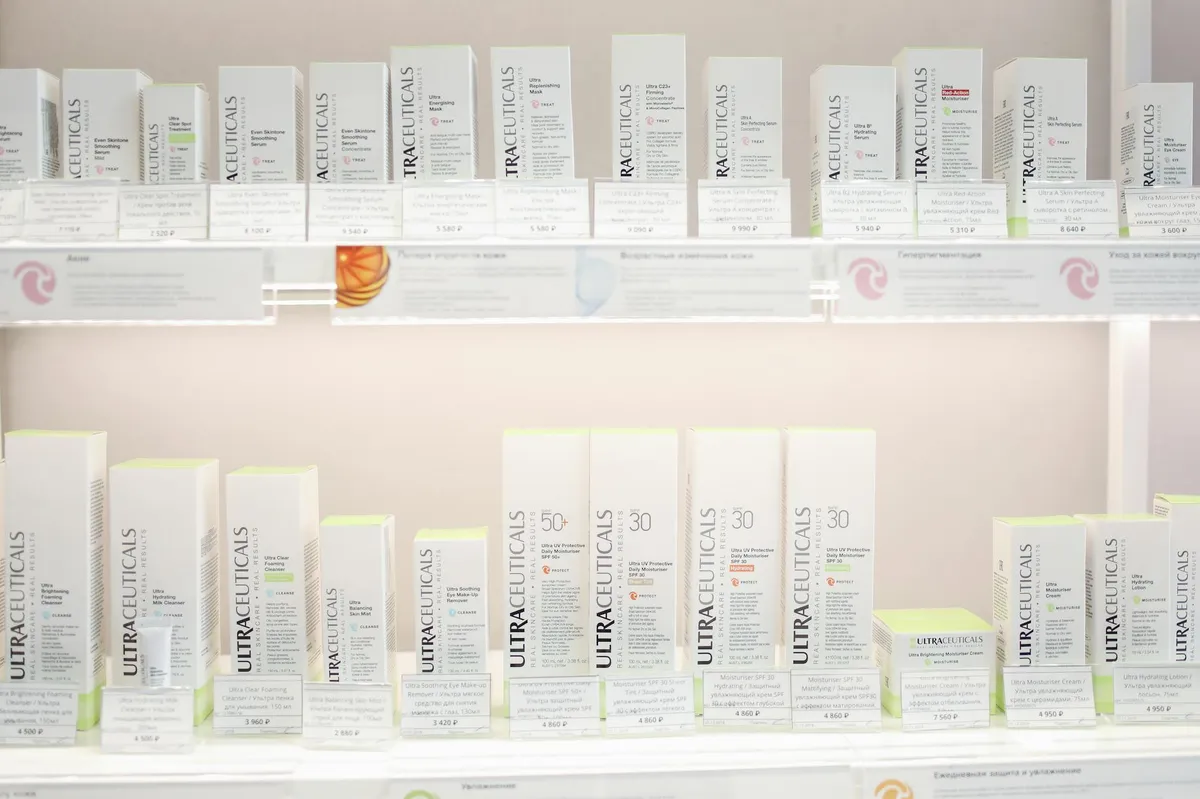
Good segmentation: "Customers who bought skincare products twice in 90 days, haven't visited in 30 days, and are based in Peninsular Malaysia." That is a segment you can personalize for.
The three segmentation layers:
Behavioral segmentation
What someone does on your site right now. Pages viewed, products clicked, time on page, scroll depth, add-to-cart actions. This is the richest data source and it is available from day one, even for anonymous visitors.
A first-time visitor who browses three products in your "Men's Grooming" collection and reads two blog posts about beard care — you know enough to personalize their next page load. Show them the bestsellers from that category. Surface the starter kit. Hide the women's collection from the homepage grid.
We wrote about how AI segmentation works on Shopify — the technical implementation is simpler than most merchants expect.
Transactional segmentation
What someone has bought, how often, and how much they spend. This is where RFM analysis (recency, frequency, monetary value) becomes useful.
Your top 20% of customers by lifetime value should see different offers than first-time buyers. They should get early access to new products. They should see higher-priced recommendations. They should never see a 10% discount pop-up — they were going to buy anyway.
Demographic and geographic segmentation
Location, device, traffic source. A visitor from Johor Bahru and a visitor from Singapore have different shipping expectations, different payment preferences, and different price sensitivities.
We see this in every audit. Malaysian customers respond to different messaging than Singaporean customers, even for the same product. Currency display, shipping cost transparency, and payment method visibility all affect conversion — and all can be personalized by location.
Does this sound like your store? Find out where you're leaking revenue — take the free Revenue Score. 3 minutes. Free. No pitch.
Which Tools Power Ecommerce Personalization on Shopify?
The tool stack matters less than the data feeding it.
The leading Shopify personalization tools in 2026 are Klaviyo (email/SMS personalization), Rebuy (on-site product recommendations), Nosto (full-stack personalization), and Shopify's native Search & Discovery app (free). Rebuy merchants report an average 9.2% revenue lift from AI-powered recommendations, per Rebuy's published case studies.
Here is the tool landscape, filtered for what actually works on Shopify:
For product recommendations
Rebuy Engine — The strongest option for Shopify Plus and growing stores. AI-powered recommendations, smart cart, checkout upsells. Pricing starts at $99/month. The ROI math usually works within the first week.
Shopify Search & Discovery — Free, native, and underused. It handles basic product recommendations, related products, and search customization. If you are not on it yet, install it today. Zero reason not to.
LimeSpot — Good mid-tier option with strong A/B testing for recommendation widgets. Useful when you want to test different recommendation algorithms against each other.
For dynamic content
Nosto — Full-stack personalization platform. Dynamic content blocks, product recommendations, pop-ups, and email personalization in one tool. Pricing is revenue-based, which makes it expensive for stores under $1M but cost-effective above that.
Visually — CRO-focused personalization with a visual editor. Good for teams that want to change content blocks without touching code.
For email and SMS personalization
Klaviyo — The default for Shopify email personalization. Behavioral triggers, predictive analytics, dynamic product feeds in emails. If you are running ecommerce email automation, Klaviyo's personalization features are built into the flows.
Omnisend — Lighter alternative to Klaviyo with solid personalization features at a lower price point. Good for stores under $500K revenue.
For search personalization
Algolia — Enterprise-grade personalized search. Every query reranks results based on the individual visitor's browsing history. Expensive but effective for stores with large catalogs (500+ SKUs).
Searchanise — Budget-friendly alternative with basic personalization in search results. Starts at $9/month.

How Do You Implement Personalization Without Slowing Down Your Store?
Speed kills conversions faster than bad personalization improves them.
Every 100ms of added load time reduces conversion rates by 7%, according to Akamai's web performance research. Ecommerce personalization tools must load asynchronously and cache aggressively to avoid negating their own revenue lift. The best implementations add less than 200ms to page load — anything above 500ms is a net negative.
This is the trap. A store installs three personalization apps, each injecting JavaScript into the storefront. Page speed drops from 2.1 seconds to 4.8 seconds. The personalization features lift conversion by 8%, but the speed loss drops it by 12%. Net result: negative.
Here is how to avoid it:
Load personalization scripts asynchronously
Every recommendation widget, every dynamic content block, every personalization script should load after the main page renders. The visitor sees the page fast, then the personalized elements fill in. This is a 30-minute developer task that most stores skip.
Use server-side personalization where possible
Shopify's Hydrogen framework and Liquid's customer object allow server-side personalization that adds zero client-side weight. A logged-in customer's product grid can be personalized at the server level before the page even reaches the browser.
Audit your app stack
We find this in almost every conversion optimization audit we run. Stores have 15-20 apps installed. Half of them inject JavaScript. Remove the ones that aren't earning their performance cost.
Set a performance budget
A hard rule: no personalization tool that adds more than 200ms to Largest Contentful Paint. Measure with Google PageSpeed Insights before and after every app install. If it exceeds the budget, find an alternative or optimize the implementation.
What Results Should You Expect From Ecommerce Personalization?
Set realistic benchmarks before you start.
Well-implemented ecommerce personalization delivers 10-15% revenue lift within the first 90 days, based on McKinsey data confirmed by WebMedic's client results across Malaysian and Singaporean Shopify stores. Product recommendation engines specifically contribute 10-31% of total site revenue. The variance depends on catalog size, traffic volume, and quality of customer data.
Here is what the timeline typically looks like:
| Timeframe | What to Expect | Typical Lift |
|---|---|---|
| Week 1-2 | Product recommendations live, basic behavioral data collecting | 3-5% AOV increase |
| Month 1 | Enough behavioral data for meaningful segments, email personalization active | 5-8% revenue lift |
| Month 2-3 | Dynamic content blocks tested, search personalization tuned | 10-15% revenue lift |
| Month 4-6 | Full segmentation model refined, A/B tests validated, compounding effects | 15-25% revenue lift |
| Month 6+ | Predictive personalization, lifecycle-stage-specific experiences | 20-30%+ revenue lift |
Based on WebMedic client data (2024-2026) + industry benchmarks from McKinsey, Barilliance, and Klaviyo
Three variables determine where you land in these ranges:
Catalog size. Stores with 200+ SKUs benefit more from personalization than stores with 20 SKUs. More products mean more possible combinations, which means the recommendation engine has more room to improve on random selection.
Traffic volume. Personalization algorithms need data. Stores under 5,000 monthly sessions struggle to build meaningful behavioral profiles. Above 10,000 sessions, the algorithms have enough signal to work well.
Customer data quality. Stores with email lists, purchase history, and loyalty program data can personalize from day one for returning customers. Stores starting from zero need 60-90 days of data collection before behavioral personalization kicks in.
What Are the Most Common Ecommerce Personalization Mistakes?
Everyone makes the same three mistakes.
The three most common ecommerce personalization mistakes are: over-personalizing too early (before sufficient data), ignoring page speed impact, and personalizing without testing against a control group. Gartner found that 80% of marketers who invested in personalization abandoned their efforts by 2025 due to poor ROI — almost always caused by these implementation errors, not the strategy itself.
Mistake 1: Personalizing with insufficient data
A store with 2,000 monthly sessions and 50 customers installs a full personalization suite. The algorithms don't have enough behavioral data to make good predictions. The recommendations feel random. The merchant concludes personalization doesn't work.
The fix: Start with rule-based personalization (manual product recommendations, location-based content), then graduate to algorithmic personalization once you have 10,000+ monthly sessions and 90+ days of behavioral data.
Mistake 2: Ignoring the speed cost
Already covered above, but it is worth repeating because it is the most common cause of negative ROI from personalization. Measure performance before and after. Every time.
Mistake 3: No control group
You install Rebuy, revenue goes up 12% that month. Was it the personalization? Or was it the seasonal trend? Or the email campaign you also launched? Without a holdback group (10-20% of traffic seeing the un-personalized experience), you cannot attribute the lift to personalization.
The fix: Every personalization tool worth using has A/B testing built in. Use it. Run every new personalization feature against a control for at least two weeks before rolling it out to 100% of traffic.
Mistake 4: Creepy personalization
"We noticed you looked at this product 7 times." Don't say that. Personalization should feel helpful, not surveillance. The visitor should think "this store gets me," not "this store is watching me."
Show relevant products without explaining why they are relevant. Surface helpful content without citing the browsing history that triggered it. The experience should feel curated, not tracked.
How Do You Measure Ecommerce Personalization Success?
If you can't measure it, you can't improve it.
The four key metrics for ecommerce personalization are: revenue per visitor (RPV), conversion rate by segment, average order value (AOV) lift, and recommendation widget click-through rate. Revenue per visitor is the single best composite metric because it captures both conversion rate and AOV changes simultaneously, according to Optimizely's experimentation framework.
Here is the measurement framework we use with clients:
Revenue per visitor (RPV) — Total revenue divided by total sessions. This is the north star metric. If personalization is working, RPV goes up. If it is not, RPV stays flat or drops (because the speed cost outweighs the conversion benefit).
Segment-level conversion rate — Compare conversion rates across your segments. New visitors vs. returning visitors. High-value customers vs. one-time buyers. Geographic segments. If personalization is working, the gap between segments narrows (because each segment is seeing content tailored to their needs).
AOV lift — Track AOV for personalized vs. non-personalized sessions. Product recommendation engines specifically should lift AOV by 10-20%. If yours isn't, the recommendation algorithm needs tuning or your catalog is too small.
Widget engagement — Click-through rate on recommendation carousels, dynamic content blocks, and personalized search results. Industry benchmark for recommendation widgets is 2-5% CTR (Barilliance). Below 2% means the recommendations aren't relevant. Above 5% means the algorithm is dialed in.
Track these weekly. Report monthly. Adjust quarterly. Personalization is not a set-and-forget installation — it is an ongoing optimization loop, similar to compound conversion improvements that build on each other over time.
Frequently Asked Questions
What is ecommerce personalization and how does it work?
Ecommerce personalization dynamically changes what each visitor sees based on their behavior, purchase history, and demographics. It works by collecting browsing data, segmenting visitors into groups, then serving tailored product recommendations, content, and offers. McKinsey research shows personalized ecommerce experiences increase revenue by 10-15% on average across retail categories.
How much does ecommerce personalization cost on Shopify?
Shopify personalization costs range from $0 to $500+/month depending on sophistication. Shopify's native Search & Discovery app is free. Mid-tier tools like LimeSpot start at $18/month. Enterprise tools like Rebuy ($99/month) and Nosto (revenue-based pricing) offer AI-powered recommendations. Most stores see positive ROI within 30 days of implementation.
Does personalization slow down my Shopify store?
Poorly implemented personalization can add 500ms-2 seconds to page load time, which reduces conversions by 7% per 100ms according to Akamai. The fix is loading personalization scripts asynchronously, using server-side rendering where possible, and setting a 200ms performance budget per tool. Well-implemented personalization adds less than 200ms total.
What is the best ecommerce personalization tool for small Shopify stores?
For stores under 10,000 monthly sessions, start with Shopify's free Search & Discovery app for product recommendations and Klaviyo's free tier for email personalization. These two tools cover product recommendations, related products, and behavioral email triggers with zero additional cost. Graduate to Rebuy or Nosto once traffic exceeds 10,000 sessions and you have 90+ days of customer data.
How long does it take to see results from ecommerce personalization?
Basic product recommendation results appear within 1-2 weeks as a 3-5% AOV increase. Meaningful revenue lift of 10-15% typically requires 60-90 days of data collection and algorithm training. Full personalization maturity — including dynamic content, personalized search, and predictive segments — takes 4-6 months to reach the 20-30% revenue lift range reported by McKinsey and Barilliance.
Keep Reading
Ready to grow?
Find out exactly where your store is leaking revenue.
Answer a quick set of multiple-choice questions and we'll pinpoint your biggest revenue leaks — and whether we can help plug them.
Find Your Revenue LeaksFree · No obligation · 2 minutes