Is your store leaking revenue?
Find out exactly where you're losing sales — takes 2 minutes.
A system for deciding which product shows up first, built for stores past the spreadsheet stage
What Is Ecommerce Merchandising?
Most stores merchandise by hand. That's the problem.
Ecommerce merchandising is the practice of deciding which products appear where on a store's category and collection pages, in what order, to guide shoppers toward a purchase. According to Shopify, it combines brand identity, layout, curation, and personalized recommendations, and McKinsey research cited by Shopify found retailers who personalize this experience earn 40% more revenue than those who don't (Shopify, 2026).
Think of a Shopify collection page as a store shelf. In a physical shop, the best-selling item goes at eye level. Online, that same decision happens through sort order, product grouping, and the rules that decide what a shopper sees first.
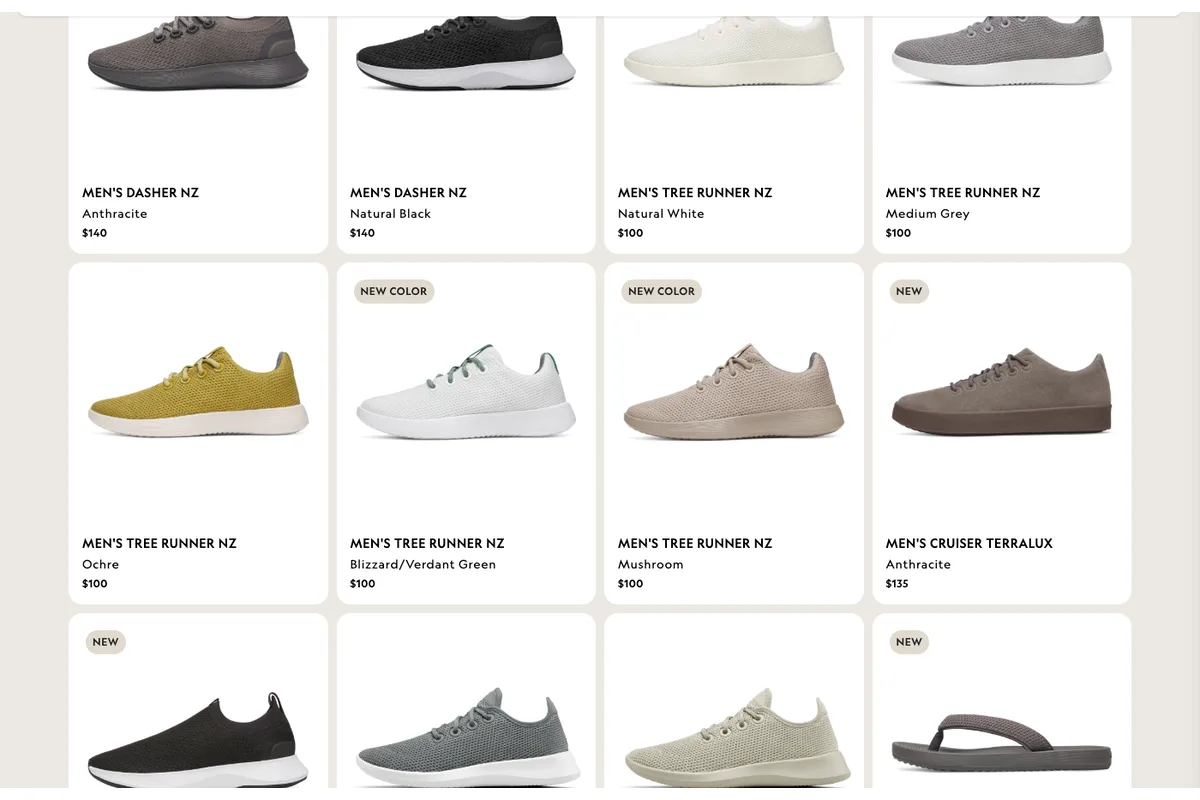
Here's what most stores actually do instead: someone on the team drags products up and down the collection page manually, once, and never touches it again. That works fine at 40 SKUs. It falls apart at 400.
We've audited Shopify stores across Malaysia and Singapore that were still running a manual sort order set eight months earlier — during a completely different sales cycle. Nobody owned it. Nobody noticed. The best-converting products were buried on page 3.
That is the merchandising gap. And it costs more than most CRO issues because it touches every product in the catalog at once.
Why Does Product Placement Change Your Conversion Rate?
Placement is not decoration. It's a decision filter.
Product placement changes conversion rate because shoppers rarely scroll past the first 12-16 products on a collection page before clicking through or leaving. Baymard Institute's ongoing ecommerce UX research finds that the majority of leading sites still deliver a mediocre-to-poor category browsing experience, meaning most stores are burying their best sellers by accident (Baymard Institute).
If your top-converting product sits in position 34 instead of position 3, you are not losing that product's sales. You are losing every shopper who never scrolled far enough to see it.
Run the math on your own store. If a collection page gets 4,000 visits a month and the first row gets 3x the click-through of row six, moving your best performer into that first row does not just help that one product — it lifts the whole page's conversion rate, because more of your traffic is now looking at something more likely to convert.
That's the leverage. One placement decision touches thousands of sessions. No product photo retouch or button color test comes close.
What Is the Slot Model for Ecommerce Merchandising?
Here's the framework that replaces manual dragging.
The slot model assigns each position on a collection page a job — a "slot" — rather than assigning a fixed product. Slot 1 might be "highest margin in stock," slot 2 "best seller last 30 days," slot 3 "newest arrival." Products rotate through slots automatically based on live data, so the page stays current without anyone touching it.
Manual merchandising assigns products to positions. The slot model assigns rules to positions, and lets the data pick which product fills each one.
A typical slot map for a mid-size Shopify collection page:
| Slot | Job | Data Source | Refresh Cadence |
|---|---|---|---|
| 1 | Best seller, trailing 30 days | Sales data | Daily |
| 2-3 | Highest margin in stock | Inventory + COGS | Daily |
| 4 | Highest review count / rating | Reviews app | Weekly |
| 5-6 | New arrival (last 21 days) | Product creation date | Daily |
| 7+ | Default catalog order | Manual fallback | As needed |
Source: WebMedic merchandising audits across Shopify Plus and standard Shopify stores, 2026.
Slot 7 and beyond is where the old manual method still lives — that's fine. You don't need automation for the long tail. You need it for the handful of positions that get 80% of the clicks.
The slot model works because it separates the decision ("what matters right now") from the execution ("which SKU currently qualifies"). Change the data, the page updates itself.
How Do You Set Up Merchandising Slots on a Shopify Collection Page?
Here's the build, step by step.
Setting up slot-based merchandising on Shopify takes four steps: define your slot map, choose the data feeding each slot, configure automated collection sorting or a merchandising app, and set a review cadence. Most Shopify Plus stores can have a basic version live within a week using native collection rules plus one merchandising app.
Step 1: Define Your Slot Map
Start with 5-8 slots, not 50. List the jobs that matter most for this specific collection — best seller, margin, new arrival, low stock (urgency), staff pick. A "Moisturizers" collection and a "Clearance" collection need different slot maps. Don't reuse one map across every collection type.
Step 2: Choose the Data Source for Each Slot
Every slot needs a live number behind it: units sold (Shopify order data), margin (COGS field or a metafield), review count (your reviews app's API), inventory level (Shopify inventory API). If a slot's data isn't available automatically, that slot stays manual — don't fake automation.
Step 3: Configure Sorting
Shopify's native "Best selling" and "Price" collection sort options cover slots 1 and part of slot 2 out of the box. For anything more specific — margin-weighted, review-weighted, or blended rules — you need a merchandising app (Shopify's App Store lists several purpose-built for this) or a metafield-driven manual sort that a scheduled job updates.
Step 4: Set a Review Cadence
Slots need a human check even when the data feed is automated — someone confirms the top rotation still makes sense, especially around promotions, sold-out SKUs, or seasonal shifts. Weekly for high-traffic collections, monthly for the rest.
But here's what most teams skip.
Which Merchandising Rules Should You Automate vs Set Manually?
Not every slot deserves automation. Some should stay a human call.
Automate slots driven by objective, frequently-changing data — sales velocity, inventory, margin. Keep slots manual when they require judgment a data feed can't capture, like a hero product tied to an upcoming campaign or a strategic new launch that hasn't earned sales data yet. Most stores get the split wrong in both directions.
Automate:
- Best-seller and trending slots (sales data changes daily; manual updates always lag)
- Low-stock urgency slots (inventory changes in real time)
- Margin-weighted slots (COGS doesn't change often, but the calculation is tedious by hand)
Keep manual:
- Launch spotlight (a new product needs a placement boost before it has enough sales data to earn one automatically)
- Campaign-tied slots (a slot reserved for whatever the current promotion is pushing)
- Anything with an inventory or contractual reason a purely data-driven rule would miss (a supplier minimum, a discontinued line you still need to move)
Does this sound like your store? Find out where you're leaking revenue — take the free Revenue Score. 3 minutes. Free. No pitch.
What Merchandising Mistakes Cost the Most Conversions?
Three mistakes show up in nearly every audit we run.
The three most common ecommerce merchandising mistakes are: leaving a manual sort order untouched for months, applying the same slot map to every collection regardless of intent, and hiding out-of-stock items in position instead of removing them from top slots. Each mistake compounds because collection pages get more repeat traffic than any single product page.
Mistake 1: The "Set and Forget" Sort Order
The most common failure we see. Someone sorts a collection page once, during a launch or a redesign, and it's never revisited. Six months later the "best sellers" row is showing products that stopped selling in Q1.
Mistake 2: One Slot Map for Every Collection
A "New Arrivals" collection and a "Best Sellers" collection should not use the same rules. If every collection page on your store looks structurally identical, you're not merchandising — you're applying a template.
Mistake 3: Out-of-Stock Products Sitting in Top Slots
If slot 1 or 2 goes out of stock, the shopper who clicks through hits a dead end and leaves. A slot rule needs an inventory floor: if stock drops below a threshold, the product rotates out of the top slots automatically, not after someone notices the complaint.
How Do You Measure Whether Merchandising Changes Are Working?
Pick metrics that isolate the page, not just the store.
Measure merchandising performance with collection-page click-through rate (percentage of visitors who click any product), scroll depth, and collection-to-purchase conversion rate — tracked before and after a slot map change, over a minimum two-week window to smooth out day-of-week noise. Store-wide conversion rate alone won't isolate the merchandising change from everything else happening on the site.
| Metric | What It Tells You | Good Benchmark |
|---|---|---|
| Collection CTR | % of visitors who click a product | Varies by category; track your own baseline first |
| Scroll depth to row 3+ | Whether shoppers see past the fold | Rising trend after a slot change is the signal |
| Collection-to-purchase rate | Whether clicks turn into orders | Compare pre/post the same collection, same season |
| Time to first click | How fast shoppers find something relevant | Falling trend = better slot 1-3 relevance |
WebMedic tracks these four alongside overall conversion rate on every merchandising engagement, because store-wide conversion rate moves for a dozen reasons that have nothing to do with product placement.

Give any slot map change at least two full weeks before judging it. Shopify order data is noisy day to day — a Tuesday and a Saturday are not comparable, and judging a change on three days of data is how teams talk themselves into reverting something that was actually working.
Frequently Asked Questions
What is ecommerce merchandising in simple terms?
Ecommerce merchandising is deciding which products a shopper sees first, and in what order, on your category and collection pages. It combines layout, product grouping, and data-driven placement to guide shoppers toward a purchase, the same job a physical store's shelf layout does.
Does merchandising actually improve Shopify conversion rates?
Yes. Because collection pages get more repeat traffic than any single product page, a placement change affects every session that lands there, not just one SKU. McKinsey research (via Shopify) found personalized merchandising drives 40% more revenue for retailers that do it well versus those that don't.
How often should I update my collection page sort order?
Automated slots (sales velocity, inventory, margin) should update daily. Manual slots — launch spotlights, campaign-tied placements — need a human review weekly for high-traffic collections and monthly for lower-traffic ones. A sort order untouched for months is the single most common merchandising mistake we find in audits.
What's the difference between merchandising and cross-selling?
Merchandising controls what shoppers see on category and collection pages before they pick a product. Cross-selling happens after — recommending complementary items on the product page or at checkout. Both matter, but they solve different parts of the funnel; see our cross-selling guide for the checkout-stage version.
Do I need a paid app for slot-based merchandising, or can Shopify do it natively?
Shopify's native collection sorting (Best Selling, Price, Newest) covers basic slots out of the box. Margin-weighted or blended rules typically need a merchandising app from the Shopify App Store or a metafield-driven sort updated by a scheduled job — native settings alone can't combine multiple data sources into one slot.
Keep Reading
Ready to grow?
Find out exactly where your store is leaking revenue.
Answer a quick set of multiple-choice questions and we'll pinpoint your biggest revenue leaks — and whether we can help plug them.
Find Your Revenue LeaksFree · No obligation · 2 minutes