Is your store leaking revenue?
Find out exactly where you're losing sales — takes 2 minutes.
Why Is Your Store the Problem, Not Your Traffic?
98 out of 100 visitors leave without buying.
Quick Answer: Why do shoppers abandon ecommerce stores?
Five predictable friction points cause the majority of lost sales: a weak above-the-fold value proposition, buried product page information, too many choices without guidance, weak trust signals, and checkout friction. Improving each stage by just 10% compounds to a 47% lift in total conversions — without spending more on ads.
That is not a hypothetical. That is the reality for most ecommerce stores with a 1-2% conversion rate. And the natural instinct — spend more on ads, drive more traffic — just multiplies the problem. You are not short on visitors. You are leaking conversions.
The leaks are predictable. After auditing hundreds of Shopify and WooCommerce stores across Malaysia and Singapore, we see the same five friction points causing the majority of lost sales. These overlap with the 7 reasons ecommerce stores fail — they are not dramatic failures, but quiet, cumulative problems that silently drain revenue every single day.
Here are the five, in the order your shopper encounters them, and exactly how to fix each one.

Does Your Value Proposition Land Above the Fold?
When a shopper lands on your store, they make a decision within 3 to 5 seconds: stay or leave. That decision is based entirely on what they see without scrolling — the above-the-fold experience.
The problem: Most stores fill this space with a generic hero image and a vague tagline like "Premium Quality Products" or "Shop the Collection." These say nothing. They answer none of the three questions every visitor asks in those first seconds: why this store, why this product, and why now.
Why it matters: If your value proposition is buried on the about page or hidden three scrolls down, most visitors will never see it. They bounced at the hero.
The fix:
- State what you sell, who it is for, and why it is different — in one clear sentence above the fold. This is your value proposition, and it should be visible within 5 seconds of landing.
- Replace stock-feeling hero images with lifestyle shots that show the product in use.
- Add a single, clear call-to-action. Not three buttons competing for attention — one.
- Make sure your value proposition is reiterated on product pages and in the cart — not just on the homepage. Every page should reinforce why a customer should buy from you.
- Test your homepage with the "5-second test": show someone your site for 5 seconds, then ask them what you sell. If they cannot answer, your value proposition is not landing.
Do Your Product Pages Bury Key Information?
Your product page is where the buying decision happens. Not the homepage, not the collection page — the product page. And most stores treat it like a warehouse listing instead of a sales conversation.
The problem: Critical information is hidden. Shoppers have to scroll past a wall of text to find sizes, shipping details, or return policies. Product images are low quality or show the product from only one angle. The "Add to Cart" button is pushed below the fold by oversized descriptions.
Why it matters: Every second a shopper spends hunting for information is a second closer to abandonment. Online shoppers do not read — they scan. If they cannot find what they need in a few seconds, they leave. This is a comprehension problem — shoppers understand your site navigation just fine, but they do not understand your product well enough to feel confident buying it.
The fix:
- Put the product name, price, key benefit, and "Add to Cart" button above the fold on both desktop and mobile.
- Use 5+ high-quality images showing the product from multiple angles, in use, and with scale reference.
- Pull the top 3 most-asked questions out of your FAQ section and answer them directly on the product page — size/fit, shipping time, and return policy.
- Add a sticky "Add to Cart" bar on mobile so it is always accessible as the shopper scrolls.

Are You Offering Too Many Choices Without Guidance?
The paradox of choice is real. When shoppers face too many options without a clear way to narrow them down, they choose nothing.
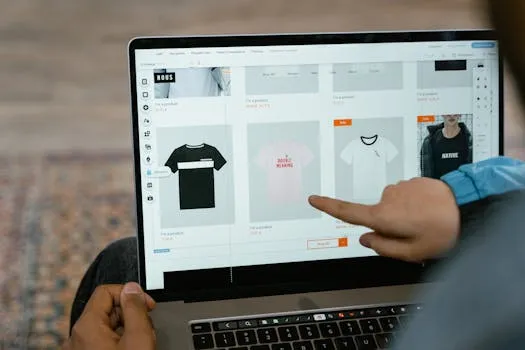
The problem: Your collection pages show 50+ products in a grid with no visual hierarchy. Every product looks equally important. There are no "best sellers," no "recommended for you," no comparison tools — just an endless grid of equal-sized thumbnails. The shopper has to do all the work of figuring out which one is right for them.
Why it matters: Research consistently shows that more options lead to fewer purchases. This is a usability problem — specifically, the "choice" lever. When everything looks the same, shoppers cannot find the right option, the information is not structured logically, and there is no recommendation to guide them. They feel overwhelmed and defer the decision — which usually means they never come back.
The fix:
- Highlight top sellers or staff picks at the top of collection pages. Give shoppers a starting point.
- Add filtering that actually matters: by use case, by problem solved, by skin type, by room size — whatever is relevant to your product. Not just by price and color.
- Use product comparison features for categories where shoppers are choosing between similar items.
- If you have more than 20 products in a category, create subcategories or guided shopping experiences. "Not sure which to choose?" quizzes convert well because they reduce decision fatigue.
- Feature "most popular" or "best for beginners" badges to anchor the decision.
Are Your Trust Signals Weak or Missing?
Online shoppers are inherently skeptical. They are giving their credit card to a website they may have never heard of. If your store does not actively build trust, that skepticism kills conversions.
The problem: Reviews are hidden on a separate tab that most shoppers never click. There are no guarantees visible near the buy button. The site lacks security badges, payment method logos, or any proof that other real humans have bought and been happy. The shopper is being asked to hand over their credit card to a website they discovered 90 seconds ago.
Why it matters: Trust is the prerequisite for every purchase. A shopper might love your product, agree on the price, and still abandon because they do not trust the store enough to enter their payment details.
The fix:
- Show review count and star ratings on collection pages (not just product pages). Social proof should be visible before the shopper clicks through.
- Place your guarantee, return policy, and shipping info directly next to the "Add to Cart" button — not in the footer. This is where the decision happens, and uncertainty kills decisions.
- Display real customer photos and video reviews if you have them. User-generated content converts better than professional shots because it is believable.
- Add recognizable trust badges: SSL certificates, payment method logos (Visa, Mastercard, PayPal), and any industry certifications you hold.
- If you have been featured in media or have notable clients, show those logos. Borrowed authority works.
Does Checkout Friction Kill Your Final Conversions?
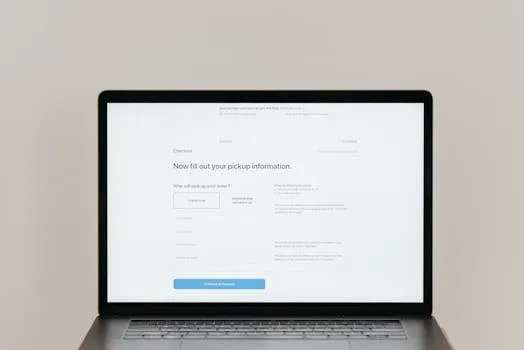
A shopper has decided to buy. They have added the product to their cart. They have clicked "Checkout." And then your checkout process loses them.
The problem: Forced account creation before purchase. Too many form fields. Shipping costs appearing for the first time at checkout. Limited payment options. A checkout flow that feels different from the rest of the store — breaking the visual and messaging continuity the shopper built up over the previous pages.
Why it matters: Cart abandonment rates across ecommerce average 70%. The checkout is where most of those abandonments happen. Two forces are at work here: cost anxiety (surprise shipping fees, hidden charges) and effort friction (too many fields, too many steps). Every extra step, every surprise cost, every unnecessary field is another reason to close the tab.
The fix:
- Enable guest checkout. Always. Requiring account creation before purchase is one of the biggest conversion killers in ecommerce. You can ask them to create an account after the purchase is complete.
- Remove every form field that is not strictly necessary. Do you really need a phone number? A company name? Every field you remove lifts completion rates.
- Show shipping costs early — on the product page or in the cart, not as a surprise at checkout. "Shipping shock" is one of the top reasons for cart abandonment.
- Offer multiple payment options: credit card, PayPal, Apple Pay, Google Pay, and buy-now-pay-later options like Klarna or Afterpay. Different shoppers trust different payment methods.
- Keep the checkout visually consistent with your store. A checkout that looks completely different breaks continuity — the thread of look, feel, and messaging that carried the shopper from your ad or homepage all the way to this point. When that thread snaps, anxiety spikes and trust drops. Same fonts, same colors, same tone.
How Do These Five Fixes Compound?
Here is the thing most store owners miss: these five problems are not isolated. They stack. Each one compounds the damage of the ones before it.
Picture this: a weak value proposition means only 60% of visitors even bother clicking to a product page. A confusing product page means only 40% of those add to cart. Missing trust signals mean only 50% proceed to checkout. And checkout friction means only 30% of those complete the purchase.
Multiply those together: 0.60 x 0.40 x 0.50 x 0.30 = 3.6% of original visitors convert. Now improve each stage by just 10%: 0.66 x 0.44 x 0.55 x 0.33 = 5.3%. That is a 47% lift in total conversions — from four modest improvements. This is the same geometric growth formula that makes small improvements across multiple levers so powerful.
Want to see exactly how those small improvements compound for your store? Use the Revenue Growth Calculator to enter your numbers and watch the math work in real time.
Not sure where your store stands? Get a free ecommerce scorecard — we'll audit your store and show you exactly what to fix first.
Where Should You Start?
You do not need to fix all five at once. Your analytics will tell you where the biggest leak is.
High bounce rate? Start with your above-the-fold value proposition. Visitors are leaving before they see anything else.
Lots of product views but low add-to-cart rate? Fix your product pages. Shoppers are interested but not convinced.
High cart abandonment? Tackle checkout friction. People wanted to buy and your process stopped them. Offering BNPL at checkout can remove a major price objection for higher-ticket items.
The fastest path to more revenue is not more traffic — it is fixing the conversion leaks in the traffic you already have. For a deeper dive into practical fixes, see our guide to boosting ecommerce conversion rates. Every visitor you convert from existing sessions costs you nothing in additional ad spend.
Stop pouring water into a leaky bucket. Plug the holes first.
Bottom Line
Most ecommerce stores do not have a traffic problem — they have a conversion problem. The five friction points above are responsible for the majority of lost sales, and every one of them is fixable without increasing your ad spend.
Not sure where your store stands? Get a free ecommerce scorecard — we'll audit your store and show you exactly what to fix first.
Frequently Asked Questions
What is the biggest reason shoppers abandon ecommerce stores?
Checkout friction is the single largest drop-off point — cart abandonment rates average 70% across ecommerce. Surprise shipping costs, forced account creation, and too many form fields are the top culprits.
How do I know which friction point to fix first?
Check your analytics. A high bounce rate means your value proposition is not landing. Low add-to-cart rates point to product page issues. High cart abandonment means checkout friction. Start with whichever stage has the biggest drop-off.
Can fixing these issues really improve my conversion rate?
Yes. Improving each stage by even 10% compounds across the funnel. We have seen stores lift total conversions by 40-50% from addressing these five friction points — without spending a single additional ringgit on ads.
Keep reading:
Ready to grow?
Find out exactly where your store is leaking revenue.
Answer a quick set of multiple-choice questions and we'll pinpoint your biggest revenue leaks — and whether we can help plug them.
Find Your Revenue LeaksFree · No obligation · 2 minutes