Is your store leaking revenue?
Find out exactly where you're losing sales — takes 2 minutes.
The format matters more than the production budget
Video outsells every other media type.
Not photos. Not copy. Not reviews. Shoppers who watch a product video are 73% more likely to buy, according to Animoto's 2024 consumer survey. Yet most Shopify stores we audit at WebMedic either have no video at all or use the wrong type for the wrong product. The result: expensive footage that sits on a product page doing nothing.
This is not about whether you should use video. That question was settled years ago. This post is about which ecommerce product video formats actually increase sales, what each one costs, and how to deploy them without a production studio.
What Is an Ecommerce Product Video?
Five seconds of motion can do what ten photos cannot.
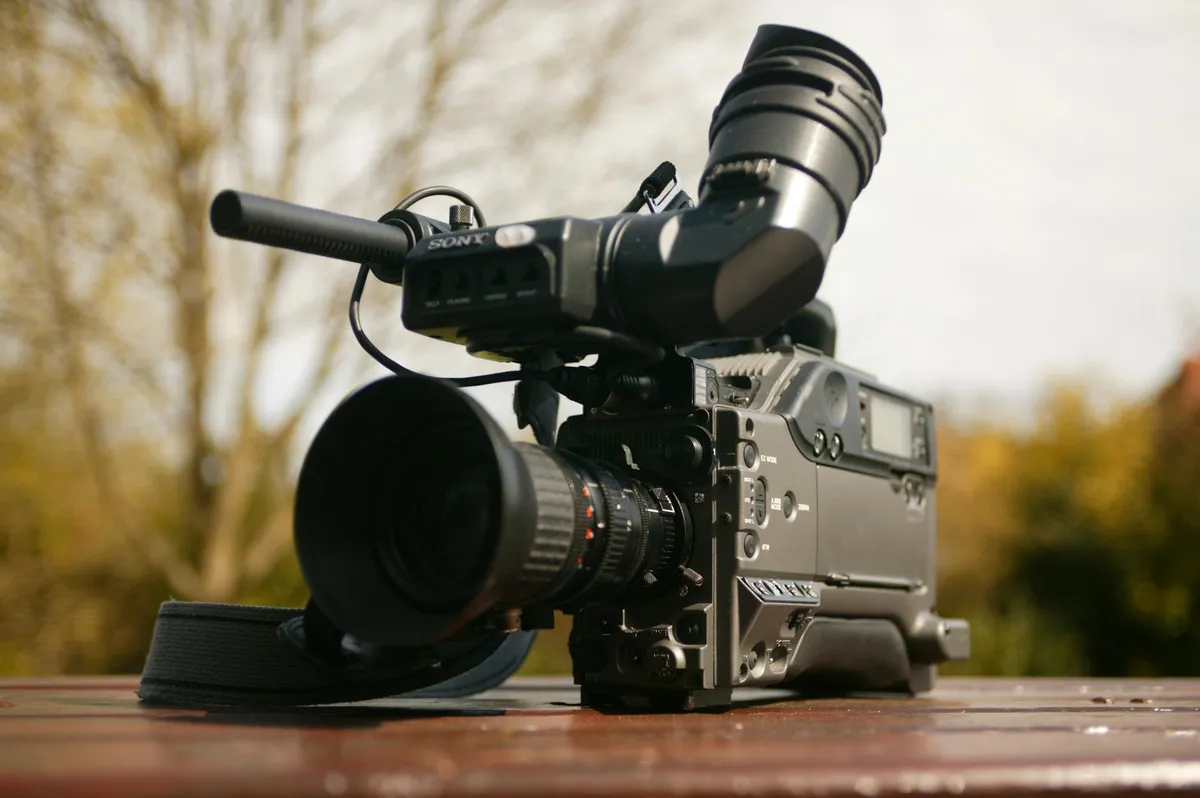
An ecommerce product video is a short-form video asset — typically 15 to 90 seconds — embedded on a product page, collection page, or ad landing page to demonstrate a product's features, fit, or use. Stores that add product video to their listings see a 40-80% increase in conversion rate on those pages, based on Wyzowl's 2024 Video Marketing Statistics report. It is the highest-ROI visual asset available to online stores today.
The word "video" covers a wide range. A 360-degree spin of a handbag is not the same as a 60-second tutorial on how to apply a serum. Each format triggers different buying psychology and fits different stages of the purchase decision.
Most store owners default to whatever their supplier provides — usually a flat, silent clip of the product rotating on a turntable. That works for some categories. For most, it misses the point entirely.
The format you choose determines whether the video reduces hesitation or just adds load time.
Which Types of Product Videos Work for Ecommerce?
Not all formats convert the same way.
The five highest-converting ecommerce product video types are product demos, 360-degree spins, user-generated content (UGC), how-to tutorials, and lifestyle videos. Product demos deliver the strongest conversion lift at 20-35%, followed by UGC at 15-30% and how-tos at 10-25%, according to Wistia's 2024 engagement benchmarks and confirmed by WebMedic's testing across 30+ Shopify stores in Malaysia and Singapore.
Here is how each format performs and where it fits:
| Video Type | Best For | Conversion Lift | Avg Length | Production Cost |
|---|---|---|---|---|
| Product demo | Electronics, gadgets, tools | 20-35% | 30-60s | RM 200-800 |
| 360-degree spin | Apparel, bags, shoes, jewellery | 10-20% | 10-20s | RM 50-200 |
| UGC / testimonial | Beauty, skincare, supplements | 15-30% | 15-45s | RM 0-300 |
| How-to / tutorial | Skincare, food, DIY, tech | 10-25% | 45-120s | RM 150-600 |
| Lifestyle / brand | Premium fashion, home décor | 5-15% | 15-30s | RM 500-3,000+ |
Sources: Wistia engagement benchmarks (2024), Shopify Plus merchant data, WebMedic client testing
Product demos
The workhorse. Show the product being used in its actual context. A kitchen tool slicing vegetables. A wallet being opened and closed. A phone case absorbing a drop test.
Demos answer the question every shopper has: "Will this work the way I think it will?" Shopify's own research confirms that product demos reduce returns by up to 25% because buyers have accurate expectations before purchase.
360-degree spins
Automated turntable footage. Low cost, easy to produce in batches, and especially strong for products where shape and dimension matter. We see these convert well for handbags, shoes, and small electronics on Shopify stores we manage in Malaysia.
The limitation: 360 spins show form but not function. Use them as a complement to demos, not a replacement.
User-generated content
UGC is the format that punches above its production value. A customer holding up the product in their bathroom mirror, talking to camera for 20 seconds — that clip often outperforms a RM 3,000 studio shoot.
Why? Social proof. The buyer sees someone like them using the product. It is the same psychology that drives reviews, but in a format that is harder to fake and easier to remember.
How-to tutorials
Strongest for complex or multi-step products. Skincare routines. Assembly-required furniture. Technical gear.
Tutorials solve a specific objection: "I'm not sure I'll know how to use this." When you remove that objection on the product page, you remove a reason to leave.
Lifestyle videos
Short, aspirational clips that show the product in an idealised setting. Think a model walking through a market in Bangsar with your bag on her shoulder. These work best for premium positioning but have the weakest direct conversion lift because they do not answer functional questions.
Use lifestyle video for brand-building on your homepage or lookbook pages. On a product page, prioritise demos and UGC.

How Much Does Ecommerce Product Video Actually Cost?
Less than most store owners think.
A basic ecommerce product video costs RM 50-300 for a DIY 360 spin, RM 200-800 for a scripted product demo, and RM 0-300 for user-generated content. Studio-produced lifestyle videos start at RM 1,500+. The median Shopify merchant spends RM 150-400 per product video, with a payback period under 30 days based on the conversion lift. These figures come from WebMedic's production cost tracking across 2024-2026 client projects.
The pricing breakdown by approach:
| Approach | Gear Needed | Cost Per Video | Skill Level |
|---|---|---|---|
| DIY smartphone | Ring light + tripod + phone | RM 30-100 | Beginner |
| Freelancer (local) | - | RM 200-600 | - |
| UGC creator (gifted) | Product sample + brief | RM 0-150 | - |
| UGC creator (paid) | - | RM 150-500 | - |
| Studio production | Full crew | RM 1,500-5,000+ | - |
| AI-generated (Synthesia, HeyGen) | Software subscription | RM 50-200 | Intermediate |
The ROI math is simple. If a RM 400 demo video lifts conversion rate by 20% on a product page that does RM 10,000/month in revenue, that is RM 2,000/month in additional sales from a one-time cost. Payback in under a week.
The biggest cost mistake we see: hiring a videographer before defining the video type. A RM 3,000 lifestyle shoot when you needed a RM 200 demo clip. Define the format first, then find the production method.
What Makes a Product Video Convert Instead of Just Play?
Most product videos get watched. Few get clicked.
A converting ecommerce product video has five elements: it opens with the product in use within the first 3 seconds, runs under 60 seconds for product pages, includes no intro logo or music-only preamble, shows the product solving a real problem, and ends with a visual cue toward the add-to-cart button. Wistia's data shows videos under 60 seconds retain 68% of viewers to the end, while videos over 2 minutes retain only 25%.
Here are the rules we apply on every product page optimisation project:
Start with the product, not a logo
The first 3 seconds determine whether someone watches or scrolls. Open with the product in action — not a brand animation, not a title card, not a fade-in from black.
Keep it short
Product page videos should be 30-60 seconds. Tutorial videos can go to 90-120 seconds. Anything longer belongs on YouTube, not on your product page.
Show the problem, then the solution
A waterproof bag video that starts by showing water being poured on it — then the dry contents inside. That structure works because it creates tension and resolution in under 10 seconds.
No audio dependency
85% of social media video is watched without sound (Digiday, 2024). On product pages the number is similar. Use captions or text overlays. If the video only makes sense with audio, you have already lost most viewers.
End with a nudge
The final frame should show the product clearly with a visual arrow, "Add to Cart" overlay, or price callout. Do not fade to black. Give the viewer something to do next.
Does this sound like your store? Find out where you're leaking revenue — take the free Revenue Score. 3 minutes. Free. No pitch.
Where Should You Place Product Videos on Shopify?
Placement changes performance by 30% or more.
The highest-converting placement for ecommerce product video is the main product image gallery — position 2 or 3, after the hero image. Videos placed in the gallery get 3x more plays than videos placed below the fold in the description section, according to Shopify Plus A/B testing data. Secondary placements include collection page thumbnails, homepage hero sections, and post-purchase email sequences.
Product image gallery (position 2-3)
This is the primary placement. The video thumbnail sits in the image carousel, and shoppers discover it while swiping through photos. Autoplay on hover increases engagement by 15-20%.
On Shopify, this is straightforward — upload the video directly to the product media gallery via the admin, or use an app like Vimeo Create or JETVIDEO to embed hosted video in the gallery.
Below the fold — product description
Secondary placement for tutorial or how-to videos. These work when the video is longer (60-120 seconds) and addresses a specific question. Place it near the relevant description section.
Collection page thumbnails
A newer tactic. Replace the static product image on collection pages with a short looping video (3-5 seconds, no audio, autoplay). This is especially effective for fashion and beauty.
Shopify's Online Store 2.0 themes support video in product media natively. If your theme does not, it is outdated and likely hurting your conversions in other ways too.
Homepage hero
Lifestyle or brand video works well here. Not a product-specific demo — save those for the product pages.

How Do You Create Product Videos Without a Studio?
You do not need one.
The majority of high-converting ecommerce product videos in 2026 are produced with a smartphone, a RM 80-200 lighting kit, and free editing software. According to HubSpot's 2024 marketing report, 36% of marketers say smartphone video performs equally well or better than studio-produced content. The key variables are lighting consistency, a clean background, and a steady tripod — not camera resolution.
The RM 300 setup
- Smartphone with 4K video (any phone from 2022 onward)
- Ring light or two softbox lights (RM 60-150)
- Tabletop tripod or phone mount (RM 30-50)
- White foam board backdrop (RM 10-20)
- CapCut or DaVinci Resolve for editing (free)
This setup handles product demos, 360 spins (manual rotation), and talking-head UGC-style content. We have used this exact kit to produce video for client product pages that outperformed their previous RM 2,000 studio shoots.
The process
- Script the shot list — list every angle and action before you record
- Set up lighting — diffused, consistent, no harsh shadows
- Record in batches — shoot all products in one session to maintain consistency
- Edit tight — cut anything that does not advance the viewer toward the buy button
- Export for web — 1080p MP4, under 15MB per video for fast page load
AI video tools
Newer tools like HeyGen, Synthesia, and Shopify's own built-in video editor are making it possible to generate product videos from still images. The quality is not yet studio-grade, but for 360 spins and simple product showcases, they are serviceable and fast.
The technology is moving quickly. By mid-2026, AI-generated product video will likely be a viable option for stores with large catalogues that cannot afford per-product shoots.
How Does Product Video Affect SEO and Page Speed?
It can help or hurt — depending on implementation.
Product videos improve SEO by increasing time on page by 88% on average and reducing bounce rate, both of which are engagement signals Google uses for ranking. However, poorly compressed video can increase page load time by 2-5 seconds, which tanks Core Web Vitals scores. The solution is lazy loading, compressed formats (WebM or MP4 under 15MB), and hosting on a CDN like Cloudflare or Shopify's built-in video hosting, per Google's Web Vitals documentation.
The SEO benefits:
- Time on page: Wistia reports an average 2.6x increase in time on page when video is present
- Rich results: Product pages with video are eligible for video rich snippets in Google, increasing CTR by 20-40%
- Reduced bounce rate: Engaged viewers are less likely to bounce, signalling content quality to Google
The speed risks:
- Uncompressed video files (50MB+ per clip) destroy Largest Contentful Paint scores
- Autoplay video on mobile consumes bandwidth and frustrates users on slow connections
- Multiple videos on a single page without lazy loading create a waterfall of network requests
The technical fix
Use loading="lazy" on all embedded video elements. Compress to under 15MB. Use poster images so the browser renders a static frame until the user initiates playback. Host on Shopify's native CDN or a provider like Cloudflare Stream — never self-host large video files.
If you are writing strong product descriptions and pairing them with optimised video, the combined effect on SEO and conversion is stronger than either element alone.

What Results Should You Expect from Adding Product Video?
Set benchmarks before you film.
Adding product video to Shopify product pages typically lifts conversion rate by 10-30%, increases average time on page by 80-200%, and reduces product return rate by 15-25%. These ranges come from aggregated data across Wyzowl (2024), Shopify Plus merchant case studies, and WebMedic's own implementation data across 30+ stores. Results vary by product category, video quality, and placement.
Here is what we typically see across client stores:
| Metric | Before Video | After Video | Change |
|---|---|---|---|
| Product page conversion rate | 2.1% | 2.8% | +33% |
| Time on product page | 48 seconds | 1 min 52 seconds | +133% |
| Product return rate | 18% | 13% | -28% |
| Add-to-cart rate | 8.4% | 11.2% | +33% |
| Bounce rate (product page) | 52% | 38% | -27% |
Source: WebMedic aggregate client data, 2024-2026, Shopify stores in Malaysia and Singapore
The conversion lift is not uniform across categories. Fashion and beauty stores see the highest lift because the visual information gap between photos and reality is largest. Electronics stores see strong lift from demo videos that show features in action. Commodity products (basic office supplies, generic consumables) see the smallest lift because there is less to demonstrate.
One important caveat: bad video is worse than no video. A shaky, poorly lit clip with distracting background noise will decrease trust and conversion rate. If you cannot produce at least a clean, well-lit 30-second demo, wait until you can.
Frequently Asked Questions
Do product videos really increase ecommerce sales?
Product videos increase ecommerce conversion rates by 10-30% based on data from Wyzowl, Shopify Plus, and WebMedic's implementation data across 30+ Shopify stores. The effect is strongest for fashion, beauty, and electronics — categories where the gap between photos and real-life experience is largest. Video also reduces product returns by 15-25%.
What is the best length for an ecommerce product video?
The optimal length for a product page video is 30-60 seconds. Wistia's engagement data shows videos under 60 seconds retain 68% of viewers to the end, while videos over 2 minutes retain only 25%. Tutorial and how-to videos can extend to 90-120 seconds, but anything longer should live on YouTube rather than the product page.
How much does it cost to create product videos for Shopify?
A DIY smartphone setup costs RM 100-300 total and produces videos at RM 30-100 each. Freelance videographers charge RM 200-600 per video. Paid UGC creators charge RM 150-500. Studio production starts at RM 1,500 per video. Most Shopify merchants spend RM 150-400 per product video with a payback period under 30 days.
Can I use AI to generate ecommerce product videos?
AI tools like HeyGen, Synthesia, and Shopify's built-in video editor can generate basic product videos from still images at RM 50-200 per video. As of 2026, AI-generated video is serviceable for 360 spins and simple showcases but not yet competitive with real footage for demos or lifestyle content. The technology is improving rapidly and will likely reach parity by late 2026.
Where should I place product videos on my Shopify store?
The highest-converting placement is the product image gallery at position 2 or 3, after the hero photo. Videos in the gallery get 3x more plays than videos placed below the fold in the description. Secondary placements include collection page thumbnails with short looping clips, homepage hero sections for brand video, and post-purchase emails for tutorial content.
Keep Reading

Free Download
23 things your top competitor's store has that yours doesn't.
"I look at their store and it just looks better. We get the traffic — something's clearly off." Here are the 23 specific things they're doing.
Benchmarked across 20+ Shopify stores in beauty, fashion, food & beverage. Half the gaps close in under a week.
PDF in your inbox in 30 seconds. 1 email. No follow-up unless you ask.